Shift Type Successions
Successions encourage or discourage an ordered pattern of at least two shifts. This page is optional. Skip it when shift order does not need a rule.
Real scenario example
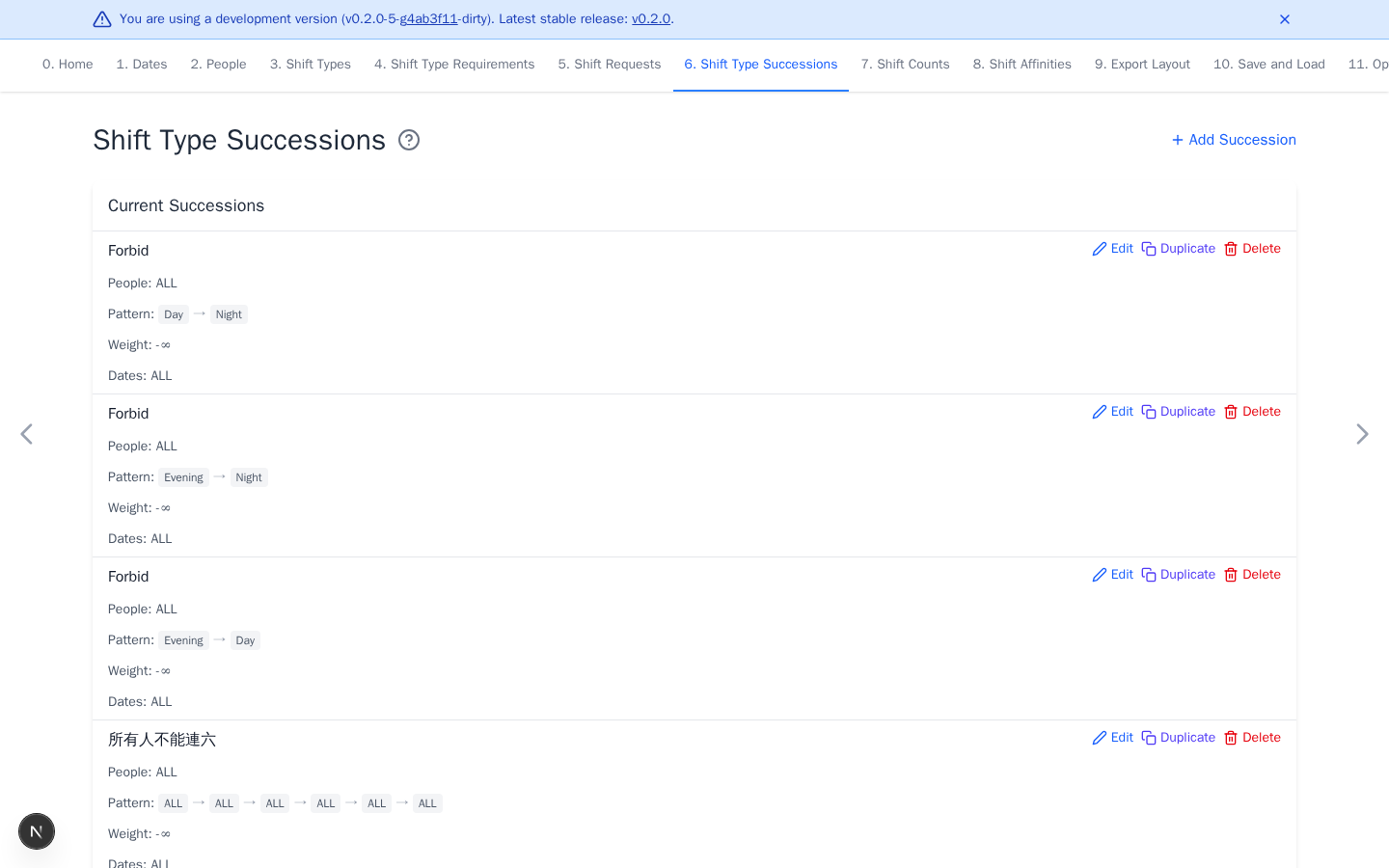
The anonymized ward forbids Day then Night, Evening then Night, and
Evening then Day for everyone. It also forbids six consecutive working
days. These are rest and feasibility rules. Night then Day is possible but
disrupts the sleep cycle, so the ward gives it a strong finite penalty rather
than forbidding it. Each rule applies on ALL dates.
Add a succession
- Select Add Succession.
- Select the people or groups.
- Select shifts in pattern order. Drag to reorder the pattern.
- Select the dates where it should be evaluated. A pattern window is checked only when every scheduled date in that window belongs to the selection.
- Set the weight and select Add.
A positive weight encourages the pattern. A negative weight discourages it. Negative infinity forbids it.
Decide which transitions truly cannot be worked with sufficient rest and
which are undesirable but negotiable. For the latter, tune finite penalties
to the ward's sleep-cycle policy. Smaller preferences can reward repeated
shifts in the same category or consecutive OFF days and discourage
fragmented rest.
Add previous shifts on Shift Requests when the rule must cross the start of the scheduling period. A window must include at least one date in the scheduling period. Patterns completed entirely in history do not affect its feasibility or score.
Use concrete shifts when the exact sequence matters. A shift group lets any member satisfy that pattern position.