Save and Load
The app stores the schedule data and up to 50 recent states in this browser. Browser cleanup, private browsing, another device, or New Schedule can make that data unavailable. This page is optional for a first test, but downloading a backup is strongly recommended for useful work.
Real scenario example
The anonymized ward YAML contains the November 2025 range, 87 people, shift groups, and 183 preference rules. Upload replaces the current schedule and then shows a short success notice with 30 dates, 87 people, 11 shift types, and 183 preferences.

After loading, the YAML preview shows the November dates and groups.
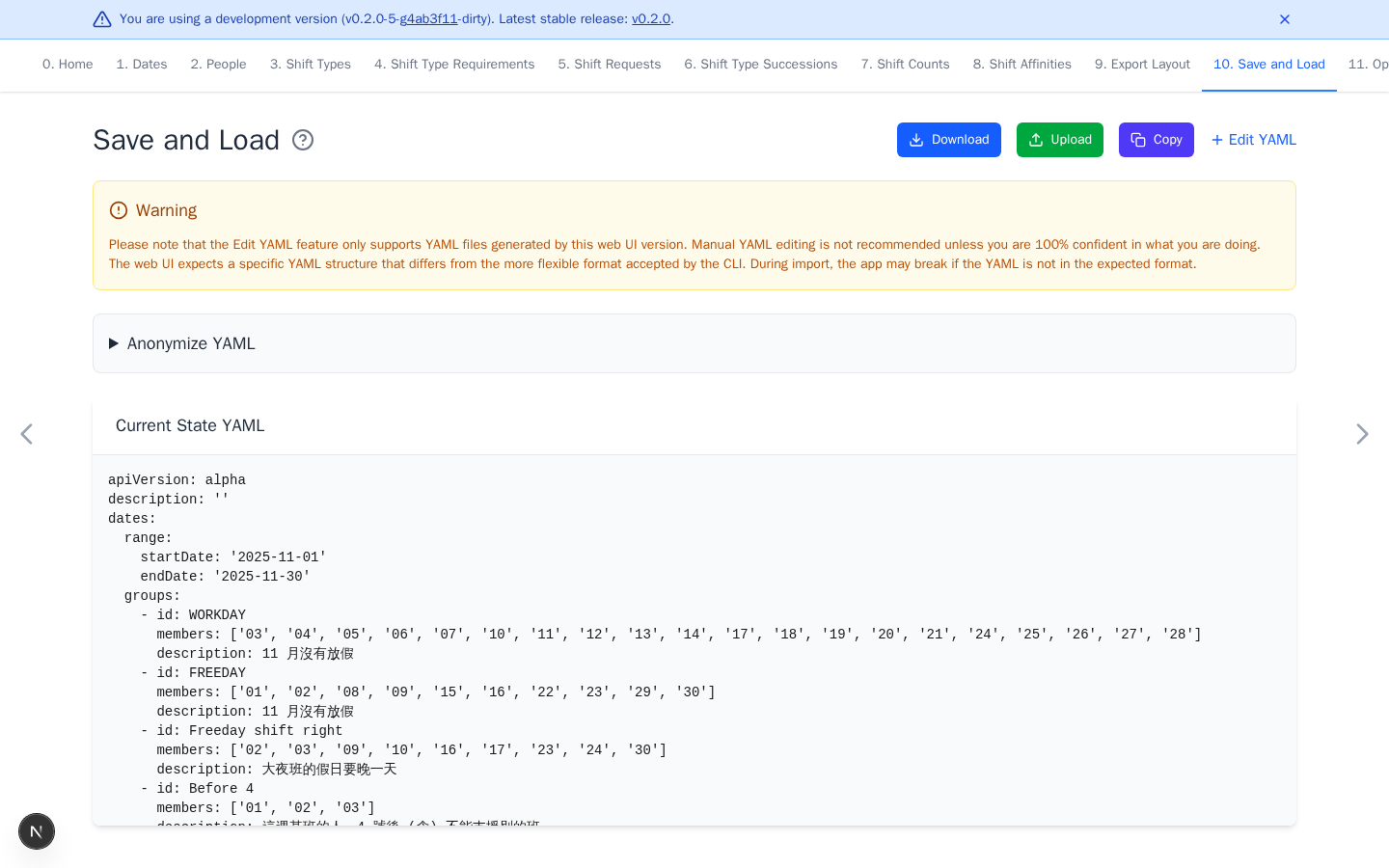
Back up and restore
- Download saves the current schedule data as YAML.
- Optional Upload replaces the current schedule with the selected YAML. If the file's app version is missing, different, or from a development build, review the warning and confirm before replacement. Cancel to keep the current schedule. The notice confirms success and shows imported counts and warnings. Select Undo in the tab bar or press Ctrl+Z (or Cmd+Z on macOS) to undo the upload.
- Optional Copy copies the same YAML to the clipboard.
- Optional Edit YAML is only for users who understand the web app schema.
Upload and download notices share one area. Each replaces the previous notice. Other action buttons dismiss the notice.
Keep one backup for each useful scheduling period. The notice counts come from the file and do not validate every rule. After loading, review the dates, people, shifts, and requirements before optimizing. Prefer the app version that created the file when a version warning appears.
Download anonymized YAML
Anonymize YAML creates a separate download and does not change browser data. Free-text descriptions remain unchanged. Review the result before sharing it because dates, groups, shifts, histories, preferences, and export configuration can remain sensitive.
The hosted app also uses analytics and error reporting. Read the full privacy policy before using real schedule data.