Shift Counts
Count rules control workload totals for each selected person. This page is optional. Skip it when staffing requirements alone describe the workload.
Real scenario example
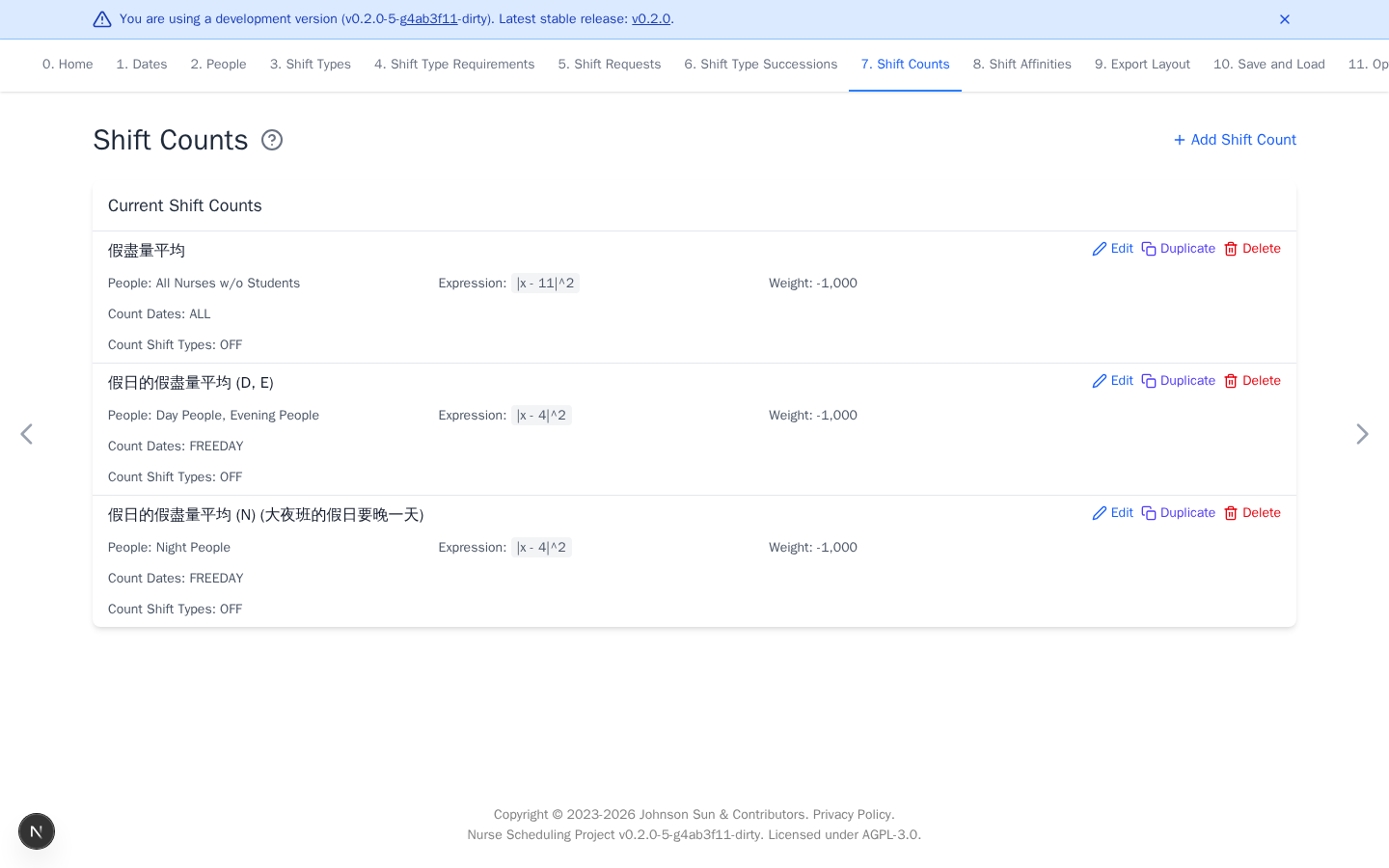
The anonymized ward prefers 11 OFF days for each non-student nurse. Separate
rules prefer four freedays for day, evening, and night teams. Each uses squared
distance with weight -1000, so closer counts score better. These targets are
empirical starting points for distributing days off fairly, not labor-policy
constants. Run an initial optimization, inspect the distribution and staffing,
then adjust the targets for that month and ward.
Add a count rule
- Select Add Shift Count.
- Select people, dates, and shifts to count.
- Choose an expression and target
T. - Set the weight and select Add.
| Expression | Meaning |
|---|---|
x >= T |
At least T matching shifts |
x <= T |
At most T matching shifts |
x = T |
Exactly T matching shifts |
x > T or x < T |
Strict bound |
|x - T|^2 |
Prefer a count close to T |
A people group expands to its members, and the rule is evaluated separately
for each person. Shift coefficients change how selected assignments contribute
to x. Coefficients are optional. Leave them at 1 for an ordinary count.
Use finite weights when a target may be traded against other preferences. Use infinity only for a limit that must not be violated.